The K-Means algorithm works only with numerical data. Missing values are not supported, as it is impossible to calculate distances for observations with missing values.
The algorithm is used for data clustering, which means that for model building the ClusteringFunctionSettings, similar to the Kohonen, Feed Forward, and k-Means algorithms, should be used.
Full specification of the model settings contains the elements of the Algorithm Settings: General Algorithm Settings and Transformation Settings.
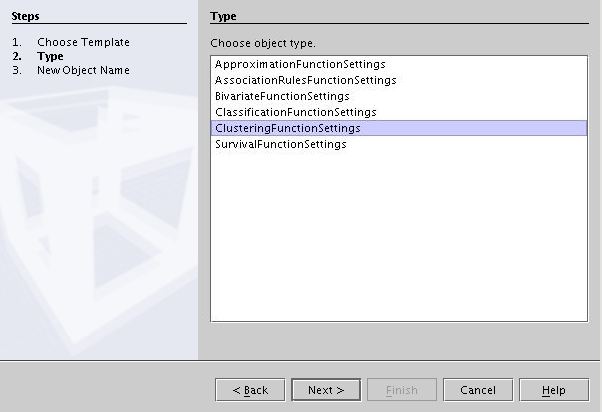
Only PhysicalData and AlgorithmSettings need to be added to the ClusteringFunctionSettings. No other information is required.
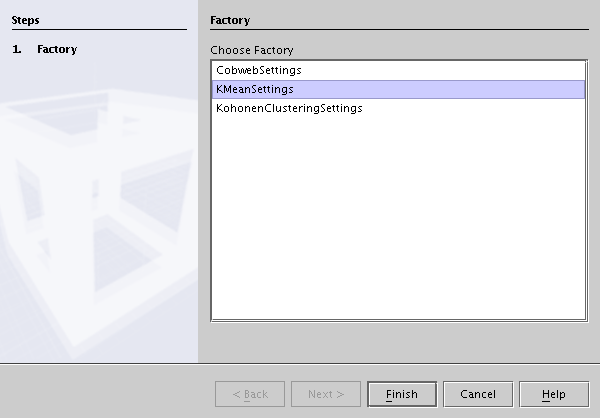
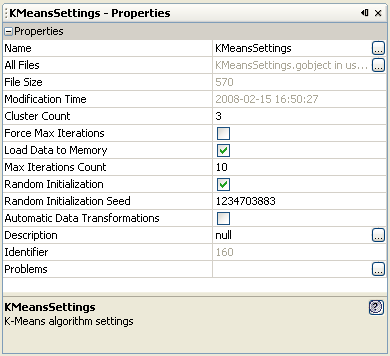
Table 35.1. K-Means: algorithm settings
| Name | Description | Possible values | Default value |
|---|---|---|---|
| ClusterCount | The number of initial clusters | positive integer numbers | 3 |
| Force Max Iterations | If set to true, the algorithm always ends when max iterations count is reached (It does not stop even when the membership matrix remains unchanged) | TRUE/FALSE | FALSE |
| Load Data to Memory | If set to true, the data is loaded into memory before the algorithm is executed. It requires more memory but is faster | TRUE/FALSE | TRUE |
| Max Iterations Count | The maximum number of iterations of the algorithm. | positive integer number greater than 1 | 10 |
| RandomInitialization | If set to true then initial cluster cetroids will be placed at random positions in the considered space. Otherwise, the centroids will be placed directly at the center of considered space. | TRUE/FALSE | TRUE |
| RandomInitializationSeed | If previous property is set to true, then the seed value can be used to initialize the random number generator. If random initalization is not used, this value is ignored. | positive integer number greater than 1 | random value from the range 1 - MAX_INTEGER |
| AutomaticDataTransformations | if TRUE automatic transformations (e.g. replaceMissing, binarization) should be executed, false otherwise. | TRUE/FALSE | FALSE |
After the algorithm parameters are set, a standard BuildTask object should be created. After that the task can be executed.
AdvancedMiner log viewer displays the information about the execution of the task, as well as errors related to the algorithm settings or the data.
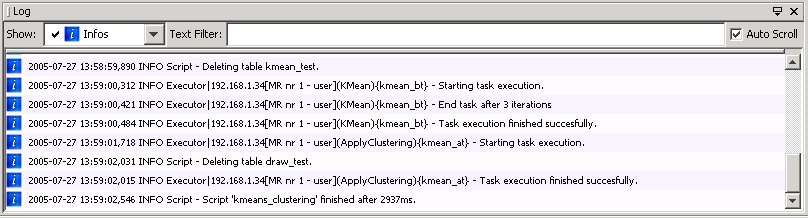
If Force Max Iterations is set to false, the client Log shows the number of iterations performed before the membership matrix stops changing. Otherwise (with Force MaxIterations set to true) it will always show Max Iterations Count.
In addition to the settings specific to the K-Means algorithm, the user can use Transformation Settings to control how the data is transformed. These settings are described in the Predefined transformations for data Mining models chapter.
After the successful completion of the task, the model is created and the user may browse model statistics.
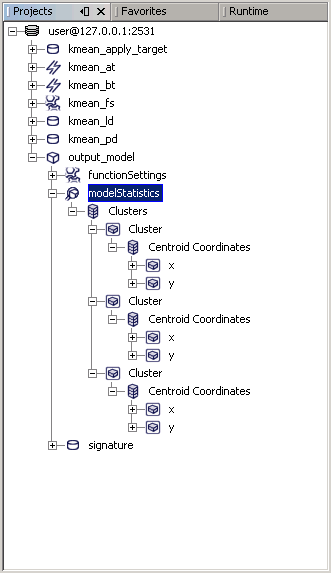
The results of the model build task can be browsed using the Metadata Repository explorer. Model statistics contain the information about the location of each cluster and its size. Detailed properties of a particular ModelStatistics elements are described below.
Table 35.2. K-means model statistics
| Name | Description |
|---|---|
| Clusters Count | the number of clusters |
| Points Count | the number of observations in the dataset containing the input data |
Table 35.3. K-means model statistics: cluster properties
| Name | Description |
|---|---|
| Case Count | the number of observations in the cluster |
| ClusterID | the identifier (label) of the cluster |
| Removed | If true, this cluster is inactive, which means that it doesn't have any members. |
| Support | the percentage of the number of members of the cluster among all the observations. |
| Cluster Coordinates | the coordinates of the cluster's centroid |
Table 35.4. Coordinate properties
| Name | Description |
|---|---|
| Minimum Value | the minimum coordinate value. This is gathered from PhysicalData, before the algorithm is executed. |
| Maximum Value | the maximum coordinate value. This is gathered from PhysicalData, before the algorithm is executed. |
| Value | the coordinate value |
The constructed model can be applied to group new data into clusters.
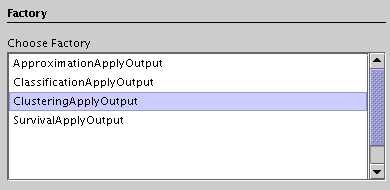
A new ApplyTask should be created and an ApplyOutput of the proper type (ClusteringOuputType) should be added.
Next the source data (PhysicalData) should be specified. This is the data to which the model will be applied. The target data (in most cases it should be an empty dataset), where the results will be stored, should also be chosen.
After that the user should specify which model to apply.
The last step is to describe which information should be written to the output dataset. (ApplyOutputItem)
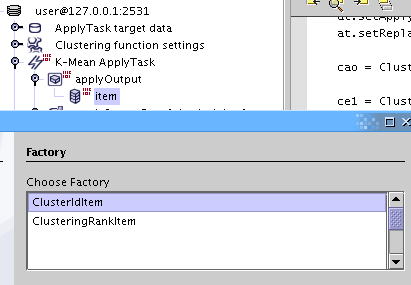
The meaning of the output items is described in the table below.
Table 35.5. K-means: applyOutput types
| Name | Description |
|---|---|
| ClusterIdItem | For the user-specified cluster and a given observation returns the distance, the probability of cluster membership or the identified cluster |
| ClusteringRankItem | Returns the identifier of the best cluster, the probability of membership in the best cluster or the distance to the best cluster. The best cluster is the one with the highest membership probability or the smallest distance. |
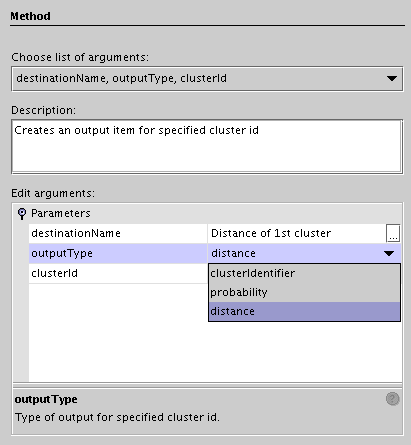
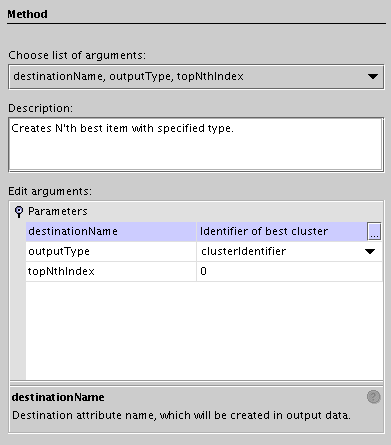
Table 35.6. ClusterIdItem and ClusteringRankItem Settings description
| Name | Description |
|---|---|
| destinationName | column name in the output dataset. |
| outputType | the type of the output value. This can be the cluster identifier, the probability of cluster membership or the distance from an observation to the cluster centroid. |
| clusterId | the identifier of the selected cluster ( ClusterIdItem only). |
| topNthIndex | specifies the cluster rank with respect to the distance measure: 0 means the first cluster, 1 the second cluster and so on (ClusteringRankItem only). |
In the case of ClusteringRankItem the meaning of the first two parameters is the same as for ClusterIdItem, but the user does not specify the cluster identifier of the selected cluster. This is done by the algorithm. The "best suited" (closest) cluster is selected.
After executing the ApplyTask the results will be stored in the data set specified by the targetData object.